 Puzzle
SonoTap editorial guide
Nonogram for beginners: learn picture logic with three free games
Learn to read picture-logic clues with three free browser picks: classic nonogram grids, colour-by-number pixel art and neighbourhood counting puzzles.
Puzzle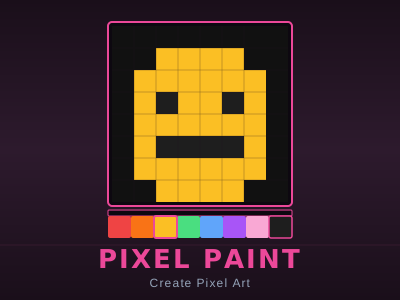 Casual
Pixel Paint
Create retro pixel art on a 16×16 canvas with a full palette and pro tools.
EasySelf-hosted
 Puzzle
Mosaic Puzzle
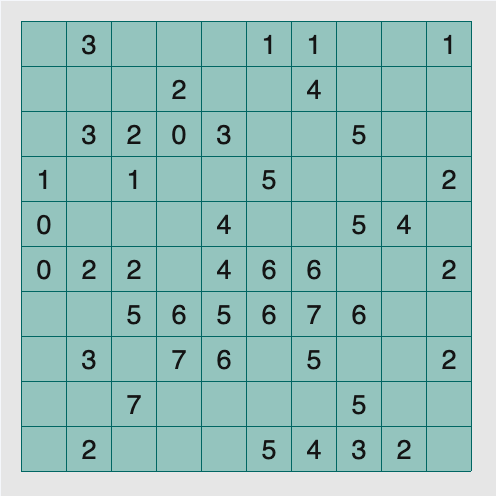
Play Mosaic Puzzle online. Shade squares so each clue counts the shaded cells in its surrounding three-by-three area, including itself.
MediumSelf-hosted
Mark what you know, never guess the rest
Picture-logic puzzles look intimidating the first time you see a wall of numbers around an empty grid. The secret is that a beginner almost never needs to guess. Every correct nonogram-style solution is built from certainties: cells you can prove must be filled, and cells you can prove must stay empty. The skill is learning to read the clues until a certainty appears, marking it, and letting the grid narrow itself.
The three picks below teach that same deductive habit in three different flavours. Nonogram is the classic form, where row and column clues describe runs of filled cells. Pixel Paint turns the idea around with colour-by-number templates, so you watch a clue become a picture one square at a time. Mosaic Puzzle keeps the numbers but changes their meaning: each clue counts shaded cells in a small neighbourhood instead of a line. All three run in the browser from local files after you press Play — no install and no account. This is an editorial selection by mechanics, not a popularity ranking, and it promises no hidden picture quality, only honest practice.
Nonogram: learn the classic clue language
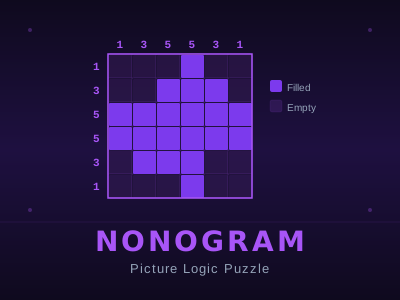
Nonogram is the right starting point because it invented the grammar the other games borrow. You get a 10×10 grid; the numbers along the left describe each row and the numbers along the top describe each column. A row labelled "3 2" contains a block of three filled cells, then at least one empty cell, then a block of two — in that order. The puzzle resolves when every row and column matches its clues and a small picture emerges.
Left-click fills a cell, right-click marks an X on a cell you have proven empty, and click-drag fills a whole run at once. On touch, tap fills and a long-press places the X. Completed clues light up, and a line you have over-filled turns red as a warning — treat that red as a sign to undo, not to push on. There is a validate button to check your work and a hint button for one correct cell when you are truly stuck.
The beginner technique that matters most: start with the biggest clues. On a 10-wide line, a clue of "10" fills everything, and a clue of "8" has only three possible positions — the middle cells overlap in all of them, so fill those certain squares first. Then mark proven-empty cells with X just as aggressively; negative information carries half the solution. Open Nonogram and its full guide.
Pixel Paint: see a clue become a picture
Pixel Paint is the gentlest entry in this guide, and it is included deliberately. It is a small pixel-art studio on a 16×16 canvas — 256 squares — with a 24-colour palette, pencil, fill bucket, eraser and eyedropper. The connection to nonograms is its five colour-by-number templates: every square carries a number that names its colour, so you practice exactly the beginner's habit of working only from what the clue tells you, and you see the hidden image assemble square by square.
Click or drag to paint with the selected colour, right-click erases, and on touch you tap or drag. The eyedropper samples a colour already on the canvas, undo and redo step back through twenty actions, work auto-saves in the browser, and finished pieces export as PNG. There is no timer, no score and no failure state, which makes it a low-pressure warm-up.
The transferable technique: scan for the most frequent number in the template and fill all of its squares first. Large single-colour regions are the equivalent of a "10" clue in a nonogram — the easiest certainty on the board. Once the dominant colour is down, the remaining numbered areas shrink into outlines, and finishing them feels like the endgame of a grid puzzle. Open Pixel Paint and its tool guide.
Mosaic Puzzle: the same deduction in a neighbourhood
Mosaic Puzzle is the step up once row-and-column logic feels comfortable. Here each numbered clue counts the shaded cells inside its own three-by-three neighbourhood, including the clue's square itself. At edges and corners only the cells on the board count, so a corner clue maxes out at four. No clue describes a line, which breaks the habits Nonogram taught you in a productive way: you must reason about overlapping areas instead of straight runs.
Click a square to shade it and use a secondary click to mark it white; on touch, toggle Secondary before placing white marks and turn it off to shade again. Undo reverses your last input, Restart restores the clean starting pattern, and the Type menu changes the board. Both marks matter equally — a confirmed white cell constrains every clue that touches it.
The beginner technique mirrors the nonogram opener: hunt the extremes. A clue of 0 forces its whole neighbourhood white; a 9 away from the border forces all nine cells shaded. After that, compare two overlapping clues — the cells they share cancel out, so the difference between their numbers tells you about the few cells they do not share. Never assume the numbered square itself stays white; it counts toward its own clue like any other cell. Open Mosaic Puzzle and its strategy notes.
Which one first?
If you have never solved a picture-logic puzzle, open Pixel Paint for ten minutes with a colour-by-number template. It builds the trust that clues alone can produce an image, with zero punishment for mistakes. Move to Nonogram next: its ten hand-crafted 10×10 grids are the real curriculum, and the over-fill warning and validate button forgive a learning curve. Take on Mosaic Puzzle last, when you want deductions that feel less linear — overlapping neighbourhoods demand that you hold two or three clues in mind at once.
If your goal is competitive speed or a huge library of daily puzzles, this shortlist is not that. It is three small, honest games chosen because each isolates one part of the same reasoning skill.
Questions before you play
Is guessing ever part of solving these puzzles?
No — not if the puzzle is well made. Every pick here can be finished by deduction alone. If you feel forced to guess in Nonogram, re-scan for a big clue or an over-fill warning; in Mosaic Puzzle, look for an extreme clue such as 0 or 9 that you have not fully marked. Guessing usually means a certainty was missed.
Which devices work for these games?
All three run in the browser after pressing Play, with no install. Nonogram and Pixel Paint both support touch — tap fills, long-press or right-click handles the alternate mark — while Mosaic Puzzle asks you to toggle a Secondary mode on touch screens. A mouse remains the most comfortable way to play all three.
Does Pixel Paint really count as logic practice?
As a template exercise, yes. Colour-by-number removes the deduction but keeps the discipline: you only mark what a clue specifies, and the picture still emerges from patience rather than inspiration. Treat it as training wheels before the real grids, not as a substitute for them.